
Wednesday, October 20, 2010
Franklin Springs DVD
Here's a chance to win a free dvd of the West Ladies and the Art of Dairy Delights. See the entry details at http://broadhorizonsschool.blogspot.com/2010/10/review-homestead-blessings-art-of-dairy.html .


Friday, October 15, 2010
The Challenger
When most people hear the word Challenger they think of the space shuttle but today I got to see a Challenger that predates that spacecraft by forty years. Built in 1943, it was the largest and most powerful operating locomotive ever. It was restored to running condition in 1981 and today it made a whistle stop at Washington, MO.
It was scheduled to arrive at 9:15 and I was surprised by the crowds who had arrived before me. Grandfathers holding little hands, a group of boys from the local Catholic school sporting cardboard engineer caps, even a little girl with an English accent and her mummy. We waited for nearly an hour. At one time the crossing gates signaled and folks got their hopes up, but it was only an Amtrak dropping off one passenger.
There was no mistaking when it did arrive. I'm sure they heard the whistle all over town.
It was scheduled to arrive at 9:15 and I was surprised by the crowds who had arrived before me. Grandfathers holding little hands, a group of boys from the local Catholic school sporting cardboard engineer caps, even a little girl with an English accent and her mummy. We waited for nearly an hour. At one time the crossing gates signaled and folks got their hopes up, but it was only an Amtrak dropping off one passenger.

There was no mistaking when it did arrive. I'm sure they heard the whistle all over town.
Review: Soli Deo Gloria Resources

A common phrase among the Homeschool Crew when discussing review products is "God knew exactly what I needed." We may receive the perfect material to help a struggling learner or it may address a personal passion of one of our kids. That was the case when we downloaded the Map Skills unit study published by Soli Deo Gloria Resources.

My Schnickelfritz has always been fascinated with maps, but recent interstate trips and joining the orienteering club have kicked his enthusiasm into high gear. This made doing a review of the unit study an easy sell. The 32 page ebook contains daily assignments for a 3 week study (based on a 4 day schedule). To get the most out of the study you will need to purchase a separate workbook -- the author recommends selecting the appropriate level from the Weekly Readers series: Map Skills for Today. Other recommended items: a compass, a variety of maps, blank or outline maps, and any additional reading books to reinforce the study.
We didn't use the recommended workbook as we had plenty of other resources (like I said, Fritz has a passion for maps). We gathered amusement park and zoo maps, maps from our orienteering meets, free state maps from rest stops, and checked out the largest atlas possible from the library. Some activities only required a pencil and paper. Others involved taking a walk through the neighborhood or a more energy burning game of compass tag. Fritz did enough activities to earn his Mapping badge for Royal Rangers.
In addition to map skills, the student will look up vocabulary words, practice penmanship with copywork, and learn some grammar mostly through studying Bible verses. The underlying message is the Bible can be a "map" and give direction to our lives.
The study is designed for students K-6. Older students (or those with a passion for maps) will really need to supplement the study with advanced workbooks or other activities. The ebook can be downloaded ($14) at the Soli Deo Gloria website. You can see a sample page there as well. The company also publishes unit studies in the areas of Bible, science, history, and geography--prices range from $12 to $18.
You can see what fellow crewmates thought of the Map Skills Unit Study and other products from Soli Deo Gloria Resources by clicking here.
Disclaimer: I received a free download of the Map Skills Unit Study for the purpose of completing this review. I received no other compensation for my honest opinion.
Tuesday, October 12, 2010
Meramec Caverns
If you've traveled on Highway 44, you've probably seen the signs for Meramec Caverns. Heck, I've seen an advertisement on Highway 70 in Indiana. I've always found it a little too expensive to go, but recently the privately owned cave advertised a half price day. Schnickelfritz got his birthday trip to the cave a few months early.
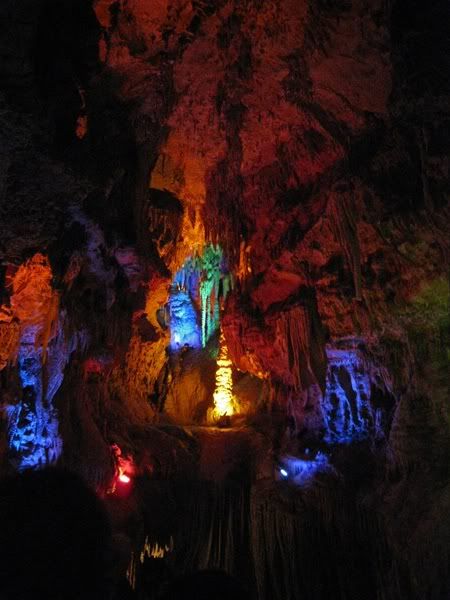
I believe the cave was the first tourist attraction on Route 66, although it's been attracting people long before that. It once held a gun powder factory in the Civil War (thanks to all the bat guano). Artifacts found in the cave are linked to a robbery by the infamous Jesse James. Some areas are big enough to hold square dances (the buggies were parked around the perimeter of the "room").
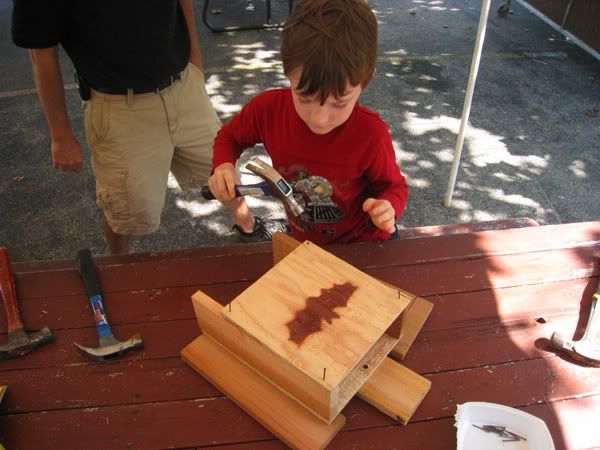
Outside the cave were more activities--free and half price. There were bouncy houses, a train made out of metal barrels pulled by a John Deere, a small camp of Civil War re-enactors (complete with cannon). Fritz learned about the current danger facing bats, white nose syndrome, and made a free bat house to mount on our barn.
The big attraction (well, besides the cave) was the new zip line that takes adventuresome souls across the Meramec River--twice. This also seems to be the rage in Branson right now. I wonder how they felt with the cannon going off beneath them. Fortunately, Fritz is still too young for such sport. I guess that will be a later birthday wish.
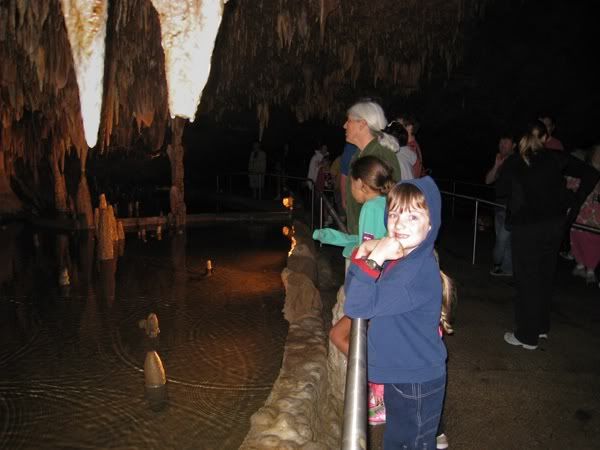
I believe the cave was the first tourist attraction on Route 66, although it's been attracting people long before that. It once held a gun powder factory in the Civil War (thanks to all the bat guano). Artifacts found in the cave are linked to a robbery by the infamous Jesse James. Some areas are big enough to hold square dances (the buggies were parked around the perimeter of the "room").
Outside the cave were more activities--free and half price. There were bouncy houses, a train made out of metal barrels pulled by a John Deere, a small camp of Civil War re-enactors (complete with cannon). Fritz learned about the current danger facing bats, white nose syndrome, and made a free bat house to mount on our barn.
The big attraction (well, besides the cave) was the new zip line that takes adventuresome souls across the Meramec River--twice. This also seems to be the rage in Branson right now. I wonder how they felt with the cannon going off beneath them. Fortunately, Fritz is still too young for such sport. I guess that will be a later birthday wish.

Monday, October 11, 2010
Review: Talking Fingers
Typing class....the words send me back to a junior high class room. The din of clacking interrupted by an occasional bell when someone hit the return carriage. I realize there's a whole generation that has no idea what I'm talking about here--ask your parents. Just like they never think that it used to take some serious calculation to center text on a page, I never thought about teaching typing to my kid. After all I didn't learn to type until seventh grade. Then I realized I didn't have a personal computer until ninth grade! My son is growing up in a world far different than mine--he looks up library books with a computer instead of a card catalog. He loves to watch roller coaster videos online. He may have been the only four-year-old able to put "Expedition Everest" in the YouTube search box. Of course when he put that in, he was hunting and pecking for the keys.
Enter the Read, Write, and Type Learning System from Talking Fingers. It is designed to teach K-3rd graders keyboard skills along with phonics, reading, and writing. Let me just say this is not your mother's typing program. Gone are the days of drilling ffff and jjjj. My Schnickelfritz was on a mission to save the characters from the left and right houses from an ugly green alien named Vexor. His guides on the quest are Lefty La Dee and Rightway McKay--who are technically talking hands not fingers.
Fritz was first taught how to "Power Up,"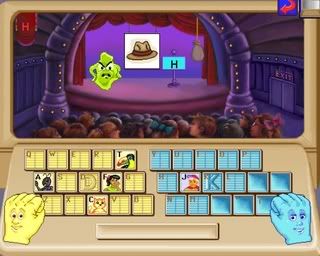 the term used for positioning the hands correctly on the keyboard. I found it a little odd that the focus was put on the middle fingers resting on the D and K keys. It is the F and J keys that have the little knobs you can feel after all, but this is a minor issue. F is the first key taught. Fritz followed Vexor to a theater to rescue the letter F. A series of pictures is shown, if the name of the pictured object begins with the "f" sound he is to press that key, if not he presses the space bar. In later lessons he may have to listen for the sound at the end of the word. In the case of vowels he listens to the middle of words.
When the letter is successfully rescued and returns to the correct house a "story teller" appears in the window. The storyteller has to travel to the story tree in the town park. His or her means of locomotion is done with typing drills. For the first few lessons this means alternating between the letter key and the space bar, but it is not long before Fritz was typing words and phrases.
The character usually has to pass across three screens before arriving at the story tree. In both the phonic sounds screen and the typing drill screens your successes irritate Vexor more and more. He mumbles, he shakes, steam rises from his head, and eventually he bounces all over the screen or explodes. Once when I heard Fritz from another room I thought he was getting frustrated with the typing but he was merely imitating Vexor--and having a lot of fun doing it.
The student will also do the typing at the story tree--in this case four phrases or sentences to tell the story. Of course the vocabulary is very simple and a lot of the story is expressed through the cartoon images. The story marked the completion of the first few lessons. As we progressed we went to Vexor's ship for more phonics and reading reenforcements. There are four lessons for each level and the student earns a printible certificate at the end of each level. Let me tell you, this was a great motivator for my son! In fact one day he determined he was going to earn two certificates--that was almost two hours of typing lessons.
There is a parent/teacher report available that will help you track your students scores for phonics, reading, and typing. It is very simplistic and only gives you a percentage score of each category at each level. Unless you're sitting with the student as he works, you won't know which lesson (or letter) is giving him trouble.
The is also feedback for parents to be found on the Certificates of Merit. It will tell you which letters have been learned, scores for some of the drills, even the words per minute of a speed drill cleverly disguised as a game to keep Vexor up in the air on a park fountain. Parents should also take advantage of all the free downloads available at the Talking Fingers website. There are scope and sequence charts, user manuals, a practice paper keyboard, and 18 stories based on the lessons for more phonics reeforcement.
An online annual subscription for Read Write and Type is available for $35 for the first student. A second student is an additional $20 and others can be added for $15 each. We used this online version with our dial up service and didn't notice any real delays in loading or animations. A CD Home Edition is available for $79, but it is not compatible with Windows 7. My advice: get this for your kids and just let them play. You sit quietly to the side racking hours and recording scores. Fritz played this for hours when it was "only for fun." When I tried to make it a school assignment the magic disappeared and he quickly complained that it made his hands hurt.
You can read what others on the Homeschool Crew thought of Read, Write & Type by clicking here.
Enter the Read, Write, and Type Learning System from Talking Fingers. It is designed to teach K-3rd graders keyboard skills along with phonics, reading, and writing. Let me just say this is not your mother's typing program. Gone are the days of drilling ffff and jjjj. My Schnickelfritz was on a mission to save the characters from the left and right houses from an ugly green alien named Vexor. His guides on the quest are Lefty La Dee and Rightway McKay--who are technically talking hands not fingers.
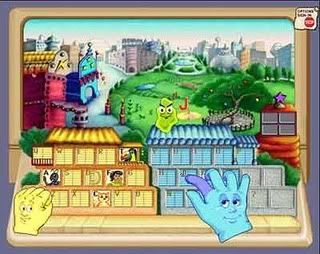
Fritz was first taught how to "Power Up,"
the term used for positioning the hands correctly on the keyboard. I found it a little odd that the focus was put on the middle fingers resting on the D and K keys. It is the F and J keys that have the little knobs you can feel after all, but this is a minor issue. F is the first key taught. Fritz followed Vexor to a theater to rescue the letter F. A series of pictures is shown, if the name of the pictured object begins with the "f" sound he is to press that key, if not he presses the space bar. In later lessons he may have to listen for the sound at the end of the word. In the case of vowels he listens to the middle of words. When the letter is successfully rescued and returns to the correct house a "story teller" appears in the window. The storyteller has to travel to the story tree in the town park. His or her means of locomotion is done with typing drills. For the first few lessons this means alternating between the letter key and the space bar, but it is not long before Fritz was typing words and phrases.
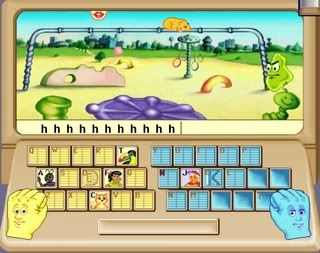
The character usually has to pass across three screens before arriving at the story tree. In both the phonic sounds screen and the typing drill screens your successes irritate Vexor more and more. He mumbles, he shakes, steam rises from his head, and eventually he bounces all over the screen or explodes. Once when I heard Fritz from another room I thought he was getting frustrated with the typing but he was merely imitating Vexor--and having a lot of fun doing it.
The student will also do the typing at the story tree--in this case four phrases or sentences to tell the story. Of course the vocabulary is very simple and a lot of the story is expressed through the cartoon images. The story marked the completion of the first few lessons. As we progressed we went to Vexor's ship for more phonics and reading reenforcements. There are four lessons for each level and the student earns a printible certificate at the end of each level. Let me tell you, this was a great motivator for my son! In fact one day he determined he was going to earn two certificates--that was almost two hours of typing lessons.
There is a parent/teacher report available that will help you track your students scores for phonics, reading, and typing. It is very simplistic and only gives you a percentage score of each category at each level. Unless you're sitting with the student as he works, you won't know which lesson (or letter) is giving him trouble.
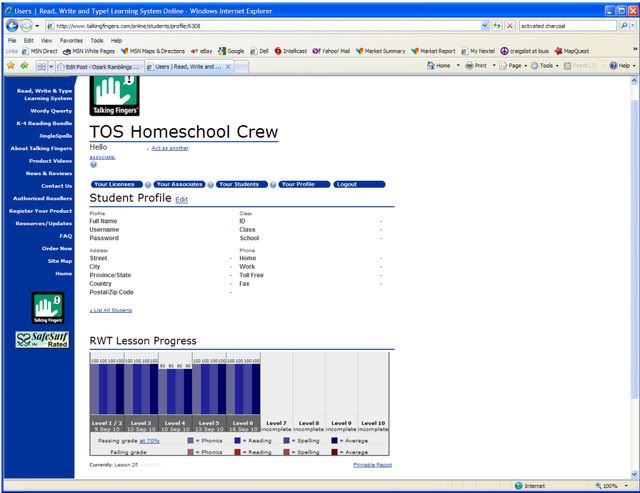
The is also feedback for parents to be found on the Certificates of Merit. It will tell you which letters have been learned, scores for some of the drills, even the words per minute of a speed drill cleverly disguised as a game to keep Vexor up in the air on a park fountain. Parents should also take advantage of all the free downloads available at the Talking Fingers website. There are scope and sequence charts, user manuals, a practice paper keyboard, and 18 stories based on the lessons for more phonics reeforcement.
An online annual subscription for Read Write and Type is available for $35 for the first student. A second student is an additional $20 and others can be added for $15 each. We used this online version with our dial up service and didn't notice any real delays in loading or animations. A CD Home Edition is available for $79, but it is not compatible with Windows 7. My advice: get this for your kids and just let them play. You sit quietly to the side racking hours and recording scores. Fritz played this for hours when it was "only for fun." When I tried to make it a school assignment the magic disappeared and he quickly complained that it made his hands hurt.
You can read what others on the Homeschool Crew thought of Read, Write & Type by clicking here.
Disclaimer: I received a free online subscription for Read, Write & Type for the purposes on completing this reveiw. I received no other compensation for my honest opinion.
Thursday, October 7, 2010
Review: Digital Frog Field Trip Series

One of my favorite parts of homeschooling is the field trips. I loved them as a kid and I love taking them with my Schnickelfritz. Think about it, is it more fun to read about a subject or go where you can touch the animal, see where the battle took place, watch an artisan make something new. Of course some things are beyond our means right now. I can't take Fritz to the rainforest or the desert--too far, too much money, perhaps too dangerous. Digital Frog has attempted to remedy this by making virtual field trips possible. I recently received a cd rom with their three trips: The Wetlands, The Rainforest, The Desert.

The highlight of each trip is a virtual tour through the biome. There areposts on each tour where the student may use the mouse to do a 360 degree view of the location. The accompanying text gives some basic information and also clues for specific plants and animals to look for. Certain words in the text may be highlighted and clicked on them will lead to new screen where more in-depth material will be shared. You may also click on the name of the object to look for and the picture will automatically adjust to find it (saving little ones from undue frustration). Speaking of younger students, I don't recommend just plopping them down in front of the computer and letting them point and click away. They will miss the depth of information available. I know this from experience--I let Fritz loose with the Wetlands field trip while I worked on the other side of the room. He confused it with one of our orienteering meets where you try to go to all the posts in as little time as possible. Fritz would arrive at a post, click to see where the hidden objects were, and click on the sign leading to the next post. The vocabulary of the text was above his second grade level so he didn't bother to read any of it (it is possible to use the computer's text to speech function but the stilted, automated voice is more annoying that helpful).
The field trip is really designed to whet the appetite for further study in the other sections of the program. Subtopics for the Rainforest included: Rainforest Study (plants, animals and their interdependancy), Rainforest Types (Temperate and Tropical and where they are located), Mechanisms of the Rainforest (soils and water cycles, etc.), and Our Endangered Rainforests. The material was presented with text and videos. There were "games" to test comprehension like building a tree with specific features to survive in the rainforest, looking for camouflaged creatures, and choosing which brightly colored fauna were safe to eat. Fritz enjoyed the last game best, when you chose an incorrect snack, the screen would say "Blech!"

The disc for each field trip contains PDF files for a teacher's guide and a student workbook if you'd like to make these studies more of a traditional education experience. They're a little tricky to get to because every time you left-click on the drive with the disk, it starts the program. You need to right-click on the drive and choose the "Explore" option. It would be best to use this series when you are studying the particular biome itself. I had hoped to isolate the birds and insects of each habitat to fit in with our current science study, but specific creatures are just hidden gems to be discovered along the path. When you do find them however, what a treat! I'll never forget the video of an orchid mantis in the section on camouflage. This critter looked just like the delicate light purple flowers it was hiding among--until that bee happened by. The field trip series takes a secular viewpoint, but I saw it as a wonderful example of God's creativity.

The package I received contained all three Field Trips available by Digital Frog and is available at their website for $199.00. Single trips are available for $84.00. Digital Frog also has cds on cell structure and a virtual frog disection (hence the name). Their pricing structure seems more geared toward schools and institutions rather than homeschooling families.
You can see what others on the Homeschool Crew thought of The Digital Field Trip Series by clicking here.
Disclaimer: I received a free copy of The Digital Field Trip Series for the purpose of completing this review. I received no other compensation for my honest opinion.
Wednesday, October 6, 2010
Jonathan Park Download
It's BlueBehemoth.com's second anniversary, but you're the one receiving the gift. Right now (through October 13) you can download a free copy of the entire Jonathan Park Volume 1: The Adventure begins. Just use coupon code 2NDBIRTHDAY.

Subscribe to:
Posts (Atom)
