Showing posts with label Organizing. Show all posts

Wednesday, July 15, 2015

Review: Homeschool Planet


While my son enjoys his summer break from school, I find it to be one of my busiest seasons.  I have to choose new curriculum, plan hours, shop for supplies…on and on.  This year I’ve had the opportunity to use  an online program from Homeschool Buyers Co-op help me with those plans. Homeschool Planet is a subscription based planner that comes with it all:
  • A calendar to track classes, appointments, etc..
  • A Planner for scheduling specific assignments
  • Shopping lists for school supplies, groceries, whatever
  • A Resources file to keep lists of books, DVDs, and websites to be used in your homeschool
  • Reports for attendance, grades, tracking core hours, or building a high school transcript
  • Lots, lots more

 Each family member can have their own login so each can appointments to the calendar to share with the rest of the family and students can get their assignments. Because the program is internet based, you don’t have to be sitting in front of your home computer to access it.  There’s even a feature that will send shopping lists to your smart phone so you’ll never again reach the store and realize the scrap of paper you used is still setting on the kitchen counter!

Entering data is fairly intuitive, but if you need help there are several tutorials to help you schedule a class, add grades, and track attendance.  For an example, let’s say I need to add our read aloud title for the fall and I want to finish by Thanksgiving…
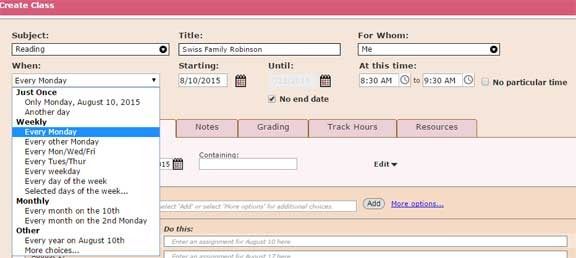
When I first joined Homeschool Planet, I set up our school year with start/end dates and any holidays and vacations.  Now when I set up the class, it will automatically skip over those dates we won’t have school.  Look at all the options that pop up for which specific days I’ll be reading.   I found this feature very handy since we have a large chunk of time away from home on Wednesday so it’s a lighter school day.  I can “deselect” Wed. from most of our non-core subjects.

After setting up the class—reading, I need to make the assignments—what I’m actually reading each day.  If I click on the “More Options” in the assignment section I’ll get a new window where breaking up a long reading is one of the options.
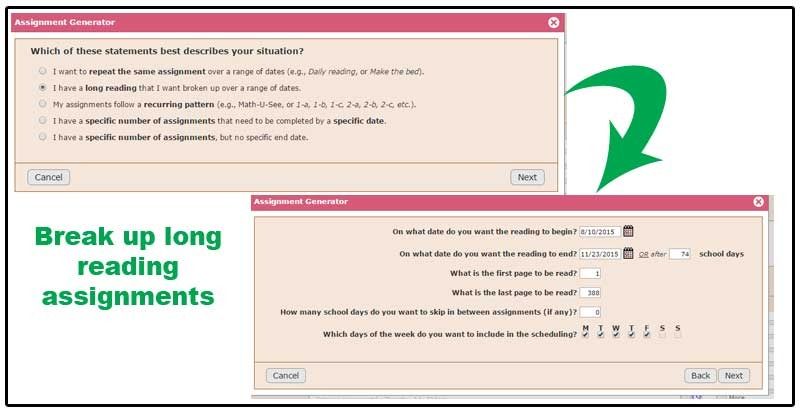
 After completing the next few pop-ups, Homeschool Planet assigns about 6-7 pages per day.  If I’d been reading the Bible or some other text where I’d prefer chapters over pages I could type in “Read Chapter {1}” and the assignment generator automatically replaces the {1} and increases it by a value of one over the date range chosen. 

Above is the screen shot of an upcoming day in our school year.  I didn’t assign specific times for most subjects—we just move on to the next thing as we complete assignments.  Homeschool gym is a scheduled event so it appears below everything else in its time slot.  It may be hard to tell in this image but every subject is color coded and you can customize colors. 

The key area of Homeschool Planet that I feel needs some improvement is the Class Hours report, and unfortunately it’s a deal-breaker for me.  For my state I need to log 1000 hours of class per year, 600 of which must be in core subjects: math, social studies, science, language arts, and reading (don’t ask me why reading is separate from other language arts). Of those 600 core hours, 400 must take place in the home.  This means I need to track core vs. noncore and home vs. away from home.  After inputting my lesson plans this is the report that generated.


 First, there is no way for me to track home vs. away hours. Second, you can see that I’m short in core hours but where? I don’t know if I need to add lessons to math or reading because this report just lumps it all together. I’m also not sure if God forbid I was contacted by a local official and asked to see my logs, they would accept just this number with no break down of subjects. 


If you live in a state where you only have to track attendance days or at least don’t need to track hours, Homeschool Planet is a very user friendly, feature rich program.   Homeschool Buyers Co-op offers a free 30 day trial to see if the program will fit your needs.  You have to join the co-op, which is free, but  unlike many subscription trials you do not need to enter a credit card number.
 
Please Note: I only have one child/student so there are many features of Homeschool Planet I never used.  You may want to click on the graphic below to see how other members of the crew tracked information on multiple students.
 
Homeschool Planet Review

Thursday, September 18, 2014

Review: My Student Logbook

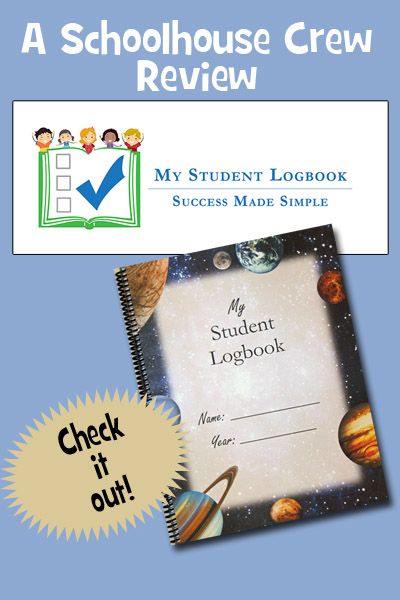
Sometimes a good homeschool day isn’t about fun (but messy) science experiments or seeing my son’s face light up when he finally “gets it” in math.  Sometimes the good comes solely from things running smoothly, everything being in its place when we look for it, and no arguments over what has to be accomplished before school’s done.  Today’s review product from My Student Logbook seems to be able to accomplish two of those three things.  While we’re still on our own to make sure everything gets returned to their places, we’ve been very pleased with the Planet-themed planner we’ve been using for school (and other tasks).  Don’t like space?  You can see all the cover choices for the Daily Student Logbook on their website.

The spiral bound book we received has a clear protective cover on the front and a heavy duty black plastic cover on the back. We chose the dated school-year version (7/28/14-8/2/15), but you can also select a Jan-Dec dated version or one without dates at all.  Behind the log pages are additional forms for lists most homeschoolers keep: All About Me, Prayers, Books Read, Field Trips & Activities, and Test Records.  There’s a bright blue page separating the two sections, making it easier to find those forms.

The front of the book has Set-up Instructions, a How-To Create High School Transcripts Using the Logbook guide,  and several Master Checklist pages.  If you use up all the Master pages, you have permission to make more copies.  The trick is to fill out a Master Checklist once and then use it over and over each week in the dated logbook section.  It’s not complicated to do, but rather than try to come up with my own explanation, I’m going to defer to the video instructions they provide on their website.


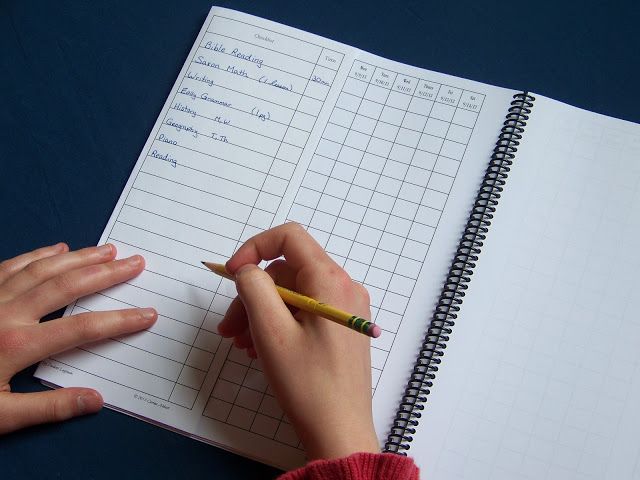
I have shared in previous posts how frustrated I used to get trying to teach my son.  At some point in every lesson he would ask me “What comes next” or “How much more do we have to do?”  For a long time I took these questions as a sign that he was bored with the subject, or me.  The more it happened, the more I took it personally until I’d snap at him to just focus on the present.  Then I learned from a Celebrate Calm workshop at my local homeschool expo that my son was just expressing his anxiety of not knowing what the day was going to hold for him.  If he could just see a list of what I had planned, he’d calm down and focus on each lesson in turn.  This Student Logbook is perfect!  At the start of our school year we wrote in each subject we’d be using—Bible, math, reading, writing, grammar, science, history, piano, and art.  He doesn’t really care about the specific assignment in each class (which I keep in my own planner). 

The beginning of each week he can decide which day we’ll do art and highlight that block in the logbook. Every day he can decide which order to do each subject (although I insist Bible be first). He seldom varies, but at least the choice is there.  And there’s no concern that we’ll miss something in the shuffle, because if it doesn’t have a checkmark it hasn’t been done yet.

There are more lines than we could possibly use for school alone so I’ve included his chores.  By lifting the Master List flap I can add notes for specific items like Fritz’s once-a-week chores or the book he should use for reading time.  There were still more blank lines and my son is reaching puberty so I added some grooming and hygiene habits we’re trying to instill (like using deodorant).  I have to admit, that hasn’t worked as well as I’d hoped because we keep the logbook in our basement schoolroom and the deodorant is upstairs and should have been put on long before school starts. Maybe we need a mini version of the logbook for the bathroom.

My Student Logbook can be used by any child who can read (mom can do the writing if necessary) although the vendor recommends it for 2nd Grade and up.  The printed version retails for $15 and a downloadable PDF version (which comes predated) is $10 for single use/$20 for family use.

Now you remember at the beginning of this post I said the Student Logbook could help me with two out of the three things—It finally dawned on me to make the last line of our school day “Return all books and supplies to their proper place!”


Click to read Crew Reviews

Monday, September 15, 2014

Review: The 7-Minute Life Planner

Recently I was given the opportunity to review a product from a vendor known as The 7 Minute Life.  A seven-minute life…we must be talking about an insect or something.  No, according to the founder seven minutes is about the length of an average adult’s attention span (and this product is meant for adults).  I thought I could focus for much longer than that until I started to watch the introductory video for The 7 Minute Life™ Daily Planner.  It was twelve minutes long and I had to restart it three times because the phone rang, my son ran in, and the dog knocked something over in the kitchen.  So I guess this woman knows of what she speaks.
Now before we begin the review, you have to know where I’m coming from so it’s time for embarrassing but true confessions…

  • I write reminder notes for myself often—on the backs of receipts, envelopes and occasionally Post-Its. They accumulate with mail, things I’ve printed from the internet, and papers from my son and husband and are often lost until the thing I wanted to be reminded of has passed.
  • I love “to do” lists and checking things off (sometimes I add things I’ve already finished just for that little jolt of good feeling of crossing it off), but I jot things down in the order they come into my mind with no regard to priority.
  • I’m terribly distracted from tasks.  I used to think that meant I was multi-tasking, but the truth is if I carried something for one room to another (to put it away) I would see three things in the new room that needed to be done and never get back to the first room I was straightening. 
  • I wear multiple hats in life—I homeschool my son, teach at our co-op, lead Discovery Kids at church, and try to keep our home. 

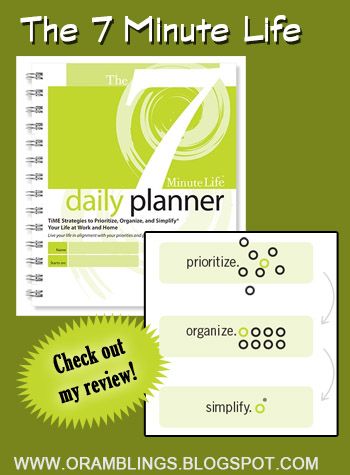
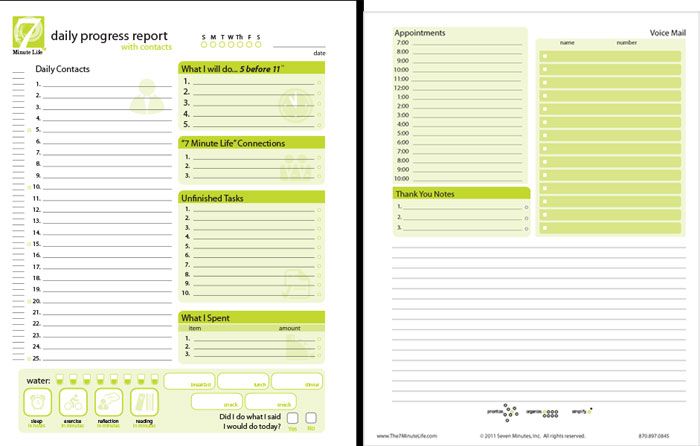
What I Received—a 272 page, wire-bound notebook (roughly 7 1/4 by 8 1/2 inches) with plastic covers. Inside were exercises to determine my priorities, discover my purpose, set goals (personal, work, financial, life), list unfinished tasks, keep a contact list, track exercising and more.  The bulk of the pages are made up with 2-page spread daily progress reports—enough for 90 days. They’re undated, so you can jump in at any time—no need to procrastinate for the start of a new week or month or whatever, nothing wasted if you miss a few days.

How I Used It ---you might think I was tempted to plow ahead to the daily progress pages and start writing in my to-do list as usual.  Well, I was tempted but since this was for a review I thought I should at least start the way the creator of the product intended.  There’s a whole series of Getting Started Videos on the web page (you can view these now, with no purchase required).  After viewing them, I found a few quiet moments for myself, sat down with my planner, and assessed my priorities. My top three ended up being Faith, Family/Friendships, and Health.   Working on Discovering My Purpose was much harder as I struggled to separate “purpose” from “tasks I have to do” but having the question “At the age of 85, I will know I have fulfilled my purpose when:” helped me to organize my thoughts.

With that in mind, I found filling out the 5 things I would do before 11 much different than my typical to-do list.  Since Health was one of my priorities (I am a cancer survivor and since my hysterectomy my blood pressure has been creeping up) I scheduled my Couch to 5K sessions during this time.  Regular exercise is a key in lowering blood pressure, but up till now I would save exercise until after schoolwork and daily chores was done (and then I might feel too tired and end up skipping it entirely).  Now I don’t feel guilty about scheduling time for myself because it fits into my priority—and let’s face it, if I’m in poor health I won’t be able to meet my other obligations.  Since making it a priority, I’ve seen my blood pressure average drop 20 points! The Planner also helps me track health priorities with boxes to track water intake, sleep, exercise, and reflection (which I count as prayer and meditation).

The Planner seems to be geared towards folks with wage-earning jobs: there are work goals, unfinished work tasks, a place to write names and numbers from voice mails, etc.  I decided for me, work would be anything associated with my teaching (at home, co-op, or church) and my blogging.  So my unfinished tasks included picking up science project supplies and completing blog posts.  My daily contacts aren’t customers and vendors, but websites with history information or books to find at the library (and in some cases other homeschoolers, bloggers, etc.).

What I Liked—I actually loved the 5 Before 11 section and the overall principles to Prioritize, Organize, and Simplify.  I’m getting closer to the 8 glasses of water per day and track my intake of cultured foods (another health priority) along with sleep and exercise.  I gained a lot of insight into myself by completing the Priorities, Purpose, Strengths & Weaknesses, and Goals worksheets. Most of these evaluation tools are available for free on the 7 Minute Life website.

What Didn’t Work For Me—The size doesn’t make the Planner convenient to carry in my purse. If something came up at 4-H meetings or church that I needed to remember  I would have to write notes and appointments on separate pieces of paper and then transfer them to the planner when I got home.  This may not be an issue for folks used to carrying briefcases or something similar.   Even with adapting things to my “line of work” I still found sections like Voice Mail useless for me. 

The Bottom Line--- I will continue to prioritize my daily tasks with the 5 Before 11 system, making sure those items are helping me meet my goals and fall within my priority categories.  I don’t know if I will buy another planner when this 90 days is up.

The 7 Minute Life Daily Planner retails for $24.95.

Click to read Crew Reviews
 

Monday, October 1, 2012

Bookmarks: Simple but Effective

For the past several years, I've used my own modified version of work boxes.  Rather than number the boxes I assign a box to each subject and keep everything I need in it.  For example,  Schnickelfritz uses colored pencils for our inductive Bible study and for Mapping the World by Heart so we actually have two sets of pencils, one in each box.  That way we never have to go searching...a time waster and source of frustration that can drag down an otherwise good morning of school.


Now I've taken a further step and created bookmarks for each subject.  We can use them to mark where we are in each textbook--a time saver when you get to the thicker books like Mystery of History.  I also laminated them and left a space to write "Today's Assignment"  with a wet erase marker (the dry erase was smearing in the books). 


I can write the assignment on the bookmark so Fritz can start working while I'm busy elsewhere.  As an only child he's been spoiled by having the teacher always by his side and I need to work on his independant learning.

I used Graphic Toolbox to make these, but the concept is so simple you can copy and paste pictures of book covers into any program.


Wednesday, August 1, 2012

Planning with Edu-Track

BacktoHomeschool


Like most homeschoolers I try to make every buck count when I'm buying curriculum.  I borrow from the library, I buy used books, I got our chalkboard for free!  Today's Blog Hop subject is lesson planning and if I had to choose the one item that keeps our homeschool going it would be the record keeping software I paid full price for (and still consider a bargain).   I purchased Edu-Track when I learned we would be moving from Indiana to Missouri and I'd be switching from checking off days on a calendar to tracking hours, specifically:  1000 total hours with at least 600 in core subjects,  of which 400 hours must take place at the regular home school location.  Edu-Track was developed by a Missourian so  all this core/non-core gobbledy-gook is built into the software and all I have to do is check a box here and there.

I like to start off my school year having as much scheduling done as possible.  I've learned from experience if it ain't written down, it ain't happenin'.  This is especially true with non-daily subjects.  Once I realized we'd gone two weeks without cracking open the spelling book when it wasn't returned to it's proper place.

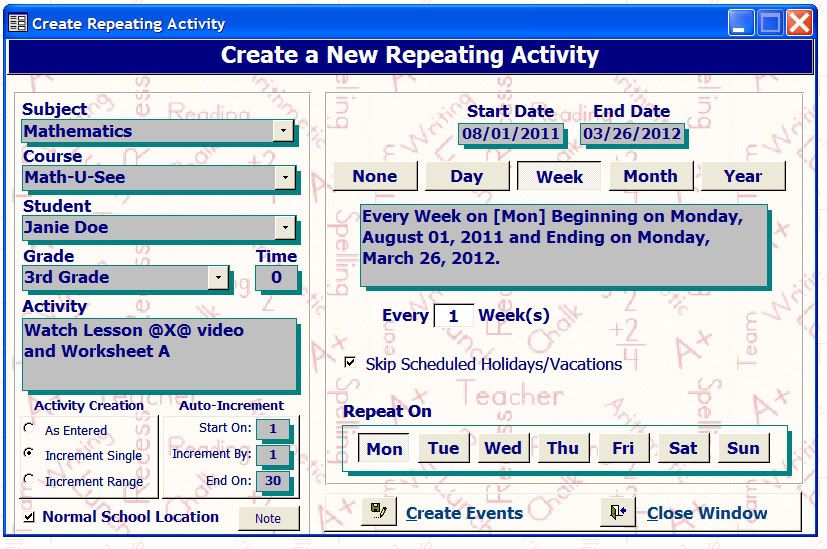
I may have to tweak dates as the year progresses but I know my 1000 hours (or at least the 600 core hours) are accounted for up front.  Edu-Track has a great recurring activity feature that makes data input easy.  If I know we're going to start each week watching the next lesson of Math-U-See  I fill in the Repeating Activity Screen as follows.

Just like that I have 30 core hours scheduled.  I can repeat this step for Worksheets B-D on Tuesdays-Thursdays and schedule a test for Fridays.  One hundred fifty hours of math input in less than 5 minutes.  For other subjects, like science, I may put in a generic activity like "Read pp ____ in Astronomy" to set up the repeating activity and go in to manually enter the specific page numbers later.
The Skip holidays box keeps anything from being scheduled on the weeks we take off for Thanksgiving and Christmas.  I start by entering my core subjects: math, science, social studies, and language arts.  While the state doesn't consider Bible as core, I do, so that's added too.  Then I can add scheduled sports activites like karate and Upwards basketball. 

This year we are participating in a co-op on Thursdays.  Four hours of classes there means I don't want to schedule any non-daily subjects on those days.  The same is true when I learn about field trip opportunities.  The software allows me to bump individual and groups of activities forward and backward with just a few clicks of the mouse. 
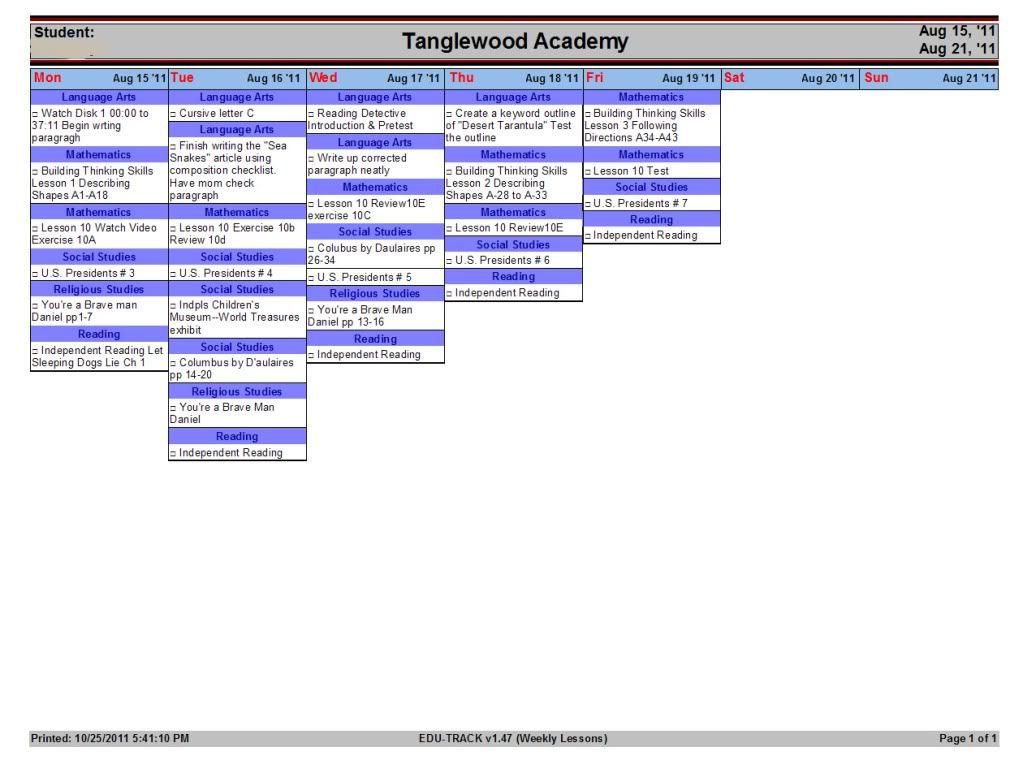
At the beginning of each week I print out a schedule by subject. 


The paper leaves plenty of room for me to "edit."  If a crisis occurs and we don't our social studies done on Wednesday, I just draw an arrow to Thursday.  If someone calls to let us know about a great exhibit at the Science Center, I can write in the details of the field trip.  When the week is complete, I'll make any necessary changes to our Edu-Track records and print out an updated and accurate copy to keep in our record book. 
Of course, there are probably as many ways to plan your school day as there are homeschoolers so you'll want to visit several others blogs to see what others do.

Thursday, April 12, 2012

H is for Home Management Binder

Here week are at week 8 of the ABC challenge at Ben and Me.  My H is for Home Management Binder.


I have to confess that I am not a naturally organized person (I'll pause here a moment to allow those who know me well to get up off the floor and quit laughing at my stating the obvious).  I do see the benefits of being organized  --  school can go much faster when you don't have to search for the book, the pencil, the whatever;  there aren't as many heart palpitations when the doorbell rings and you're nervous the person on the other side will see the dirty dishes on the table,  you don't waste money on fines for library books that aren't returned on time or late fees for the electric bill.  I'm usually pretty good when it comes to things that cost me money, but lately I've been slipping up so perhaps it's time I kept my brain in a binder.

If there's something you truly can't afford to forget--WRITE IT DOWN.  Then you have to take that further step and make sure what you've written it on doesn't get lost.  So I went to my local office supply store and purchased a perky, green three-ring binder to collect those "do not lose" papers.  So far the sections I know I need are :
  • Phone numbers for utilities, doctors, other members of the co-op, etc.
  • A calendar with appts, field trips, and other not to be missed events
  • A check off list of monthly bills to be paid and their due dates
  • a calendar to track when I have reviews due and other blogging deadlines
  • A list of household chores--I just don't come by this naturally

I started by looking through the pages of my Schoolhouse Planner (which has plenty of non-schooling related forms).   There's the library item list (is it a homeschooler thing or a bibliophile thing, but I go to the library more than once a week so nothing I get has the same due date).   I also printed out medical history forms,  shopping lists,  chore charts, and phone/address pages.  Then I went online to find recommendations for how frequently to do certain household chores (not the frequency with which I was currently doing them obviously) and wrote them on calendar pages.  Now I at least have a reasonable shot at remember to clean the refrigerator coils or change the furnace filter.

Here's my own contribution to a Home Management Binder, two-sided sheets where I list all my family's favorite recipes and where I can find them under the appropriate category .   This way we don't forget a favorite just because it's in a cookbook I don't crack open often.  The Planned Over pages are for recipes that use meats left over from a roast on a previous night--cooked, chopped chicken for example.  It's a great place to list what you're going to do with the leftover Thanksgiving turkey.  On the protein type pages there is a column to list the specific cuts of meat and amount to purchase.   This way when you see a  sale price on meat you'll know immediately what recipes you can prepare.

Recipe Organizer Printable

Speaking of sale prices, if it's really a stock up value you may want to buy more than you can consume in a week (or would care to, who wants pork chops five nights in a row?).  There's a column labeled Freeze?  I may a check mark if the dish can be assembled ahead of time and frozen to cook and serve later.  You'll want to check back May when I present 5 Days of Freezer Cooking and part of the Homeschool Crew's Blog Hop.

Monday, January 30, 2012

Now Where's That Pencil Again?


Last Fall ago I wrote about the software I use to schedule and log hours for our homeschool.  If you're searching the Virtual Curriculum Fair for that type of product you'll want to read about Edu-Track .  For this week's topic "Pulling it All Together," I'm going to show you the tools we use to keep us on track each day.

Having every lesson scheduled in my software is wonderful, but if I can find the colored pencils for Bible study or our read-aloud for history I'm headed for a train wreck.  I can't send Schnickelfritz to search for the missing item.  He's a carrier of that Y chromosome, can't-find-anything-in-the refrigerator syndrome.   After glancing around the room twice he'll lose interest, or find the Transformer he wanted to play with yesterday, or decide that since he's already moved the trundle bed to look underneath he might as well stay and turn it into an "ice cave" and make our dog play cave beast.  If I go looking for the lost item I may have a better chance of finding it but I'd better find it during the math lesson video.  Once the lesson is done the mind wonders and we still may end up in the ice cave.

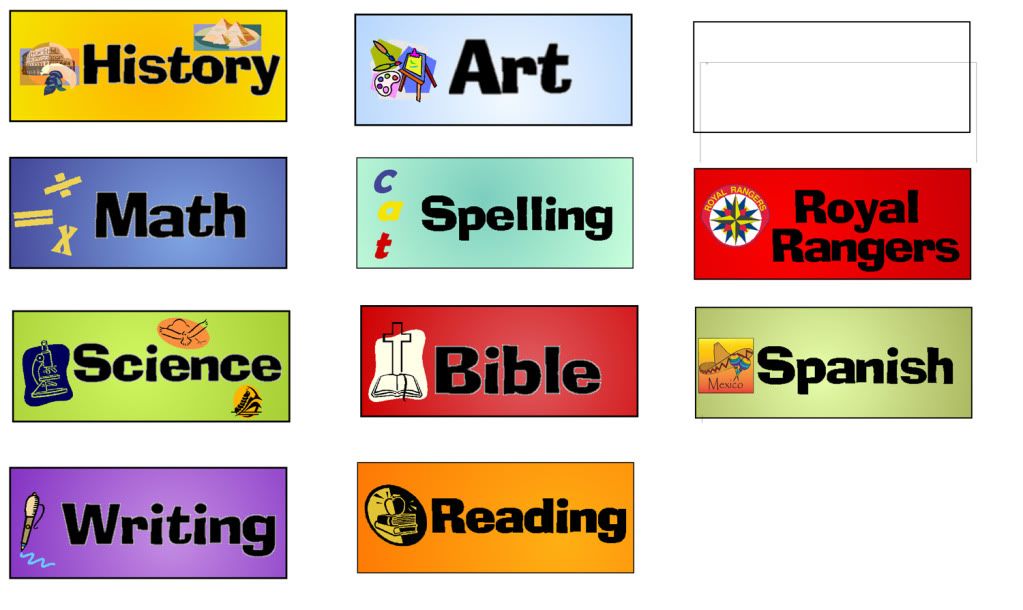
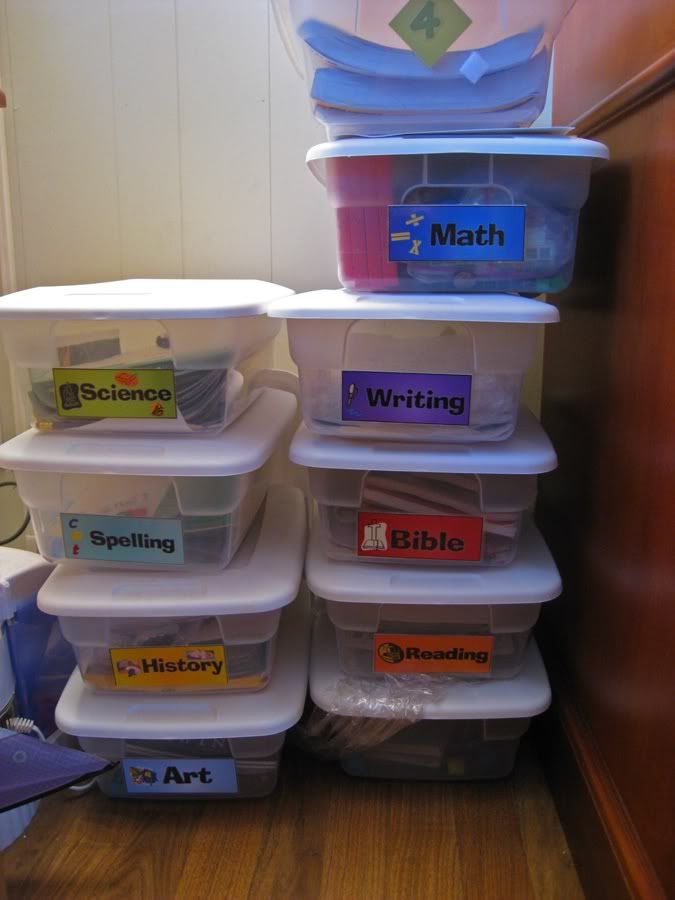
For the last two years we've been using a variation on Sue Patrick's Workbox System.  Rather than numbering the boxes, I used our Graphic Toolbox software to make subject labels.


These are attached to each box.  I found ours at Walmart in a 2-count set for $4.  I went with a slightly bigger size so that workbooks could lay flat or I could fit a clipboard inside.  We put EVERYTHING we need in the box so if we need a set of colored pencils for art and for Bible study, we buy two (they're only a buck during school sale time).


When the lesson is done, EVERYTHING has to go back in the box.  It doesn't matter that we're just going to get them out again tomorrow.  There's something about skipping this step that opens an inter-dimensional portal to open in our basement classroom.  And that other dimension must have some weird radiation that causes inanimate objects to sprout legs and disappear.  Nothing wreaks havoc on a lesson schedule more than not being able to find our history read-aloud for the day (or even a week).  I also keep a box with supplies like index cards, extra pencils, and glue sticks.

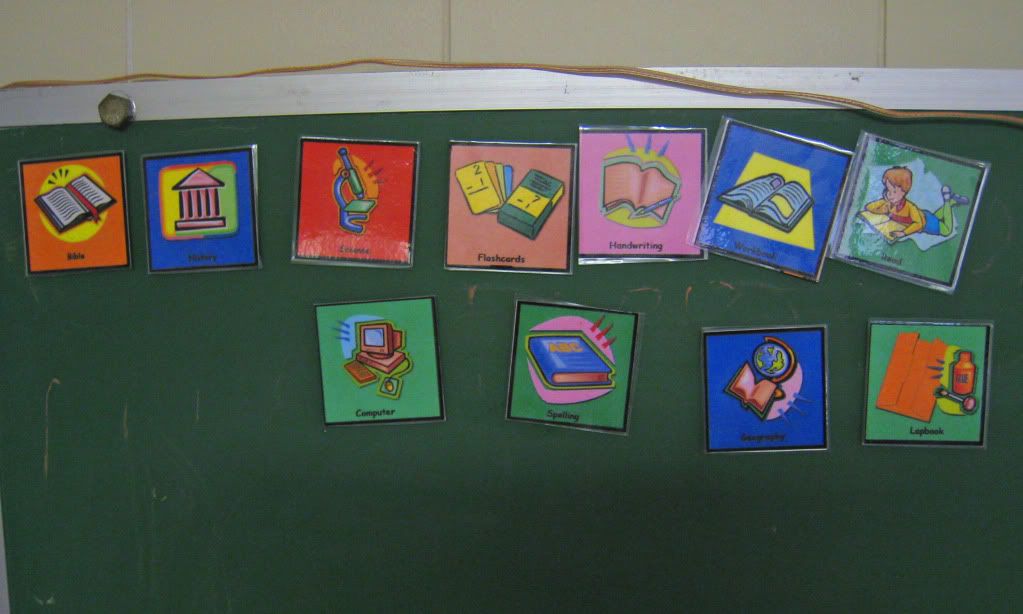
Our second tool is a set of subject labels that I've lamenated and added magnets to the backs. 

My son is a "How much more do we have to do today?" kind of kid.  We always start the day with Bible study,  but there are some subjects not scheduled every day.  This way he can see what our agenda is at a glance.  Some days I'll make him follow them in order, others I'll let him arrange the subjects to suit his tastes.  It really eliminates the "Are we done yets?"  I can just refer him to the board.

I'm sad to say this is the last week of the 2012 Virtual Curriculum Fair.  Be sure to visit these other blogs to see their take on the topic The Nuts and Bolts: Pulling it All Together. 

Getting a Grip on Things by Susan @ Homeschooling Hearts & Minds

Weekly Homeschooling Schedule by Julie @ HighHill Homeschool

Virtual Curriculum Fair: Week 5: The Nuts & Bolts: Pulling it all Together by Leah @ The Courtney Six Homeschool

Our Schedule's Working! by Eunora @ All Things NoriLynn

Homeschooling: How do I do it all? by Debbie @ Debbie's Digest

Virtual Curriculum Fair--- Wrap-up Angie @ Petra School

Virtual Curriculum Fair: 5 Ways to Use an iPad in Your Homeschool by Pam @ Everyday Snapshots

A Peek Into Our School Day by Melissa @ Grace Christian Homeschool
A Day in the Life... by Nicole @ Schooling in the Sun

Homeschool and Life: How we get it done by Jen @ Forever, For Always, No Matter What

Homeschooling at My House by Jessica @ Modest Mama

Making Home School a part of LIFE by Cindy @ For One Another

Something About Homeschooling I Really Didn't See Coming by Letha @ justpitchingmytent

Curriculum, Kids, and a Frazzled Homeschool Mama leads to Controlled Chaos! by Laura O from AK @ Day by Day in Our World

The Virtual Curriculum Fair – Nuts and Bolts by Kristen @ Sunrise to Sunset

Staying on Top of Everything by Brenda Emmett @ Garden of Learning

Tuesday, October 25, 2011

If It Ain't Written Down...It Ain't Happening

If I were giving a tour of our homeschool, I'd probably be sharing all the bargains I've found over the years--the free chalk board, the binding machine from ebay, etc.  This week's Blog Cruise subject is lesson planning and if I had to choose the one item that keeps our homeschool going it would be the record keeping software I paid full price for (and still consider a bargain).   I purchased Edu-Track when I learned we would be moving from Indiana to Missouri and I'd be switching from checking off days on a calendar to tracking hours, specifically:  1000 total hours with at least 600 in core subjects,  of which 400 hours must take place at the regular home school location.  Edu-Track was developed by a Missourian so  all this core/non-core gobbledy-gook is built into the software and all I have to do is check a box here and there.

I like to start off my school year having as much scheduling done as possible.  I've found if I don't have it written down I'll discover that we haven't cracked open the spelling book for two weeks.  This year, for the first time, I'm sharing host duties for our science experiments with another local homeschooling mom.  If  we don't keep to a rigorous reading schedule, we won't be ready for the experiment on those pre-determined days.   I may have to tweak dates as the year progresses but I know my 1000 hours (or at least the 600 core hours) are accounted for up front.  Edu-Track has a great recurring activity feature that makes data input easy.  If I know we're going to start each week watching the next lesson of Math-U-See  I fill in the Recpeating Activity Screen as follows.

Just like that I have 30 core hours scheduled.  I can repeat this step for Worksheets B-D on Tuesdays-Thursdays and schedule a test for Fridays.  One hundred fifty hours of math input in less than 5 minutes.  For other subjects, like science, I may put in a generic activity like "Read pp ____ in Land Animals of the Third Day" to set up the repeating activity and go in to manually enter the specific page numbers later.

At the beginning of each week I print out a schedule by subject. 


The paper leaves plenty of room for me to "edit."  If a crisis occurs and we don't our social studies done on Wednesday, I just draw an arrow to Thursday.  If someone calls to let us know about a great exhibit at the Science Center, I can write in the details of the field trip.  When the week is complete, I'll make any necessary changes to our Edu-Track records and print out an updated and accurate copy to keep in our record book.  The software allows me to bump individual and groups of activities forward and backward with just a few clicks of the mouse.  When Schnickelfritz gets to college I can use Edu-Track to create transcripts.  For now, I use other features to keep track of chores to be done, books read, field trips, even Fritz's immunizations. 


Friday, October 14, 2011

A binding machine for the home


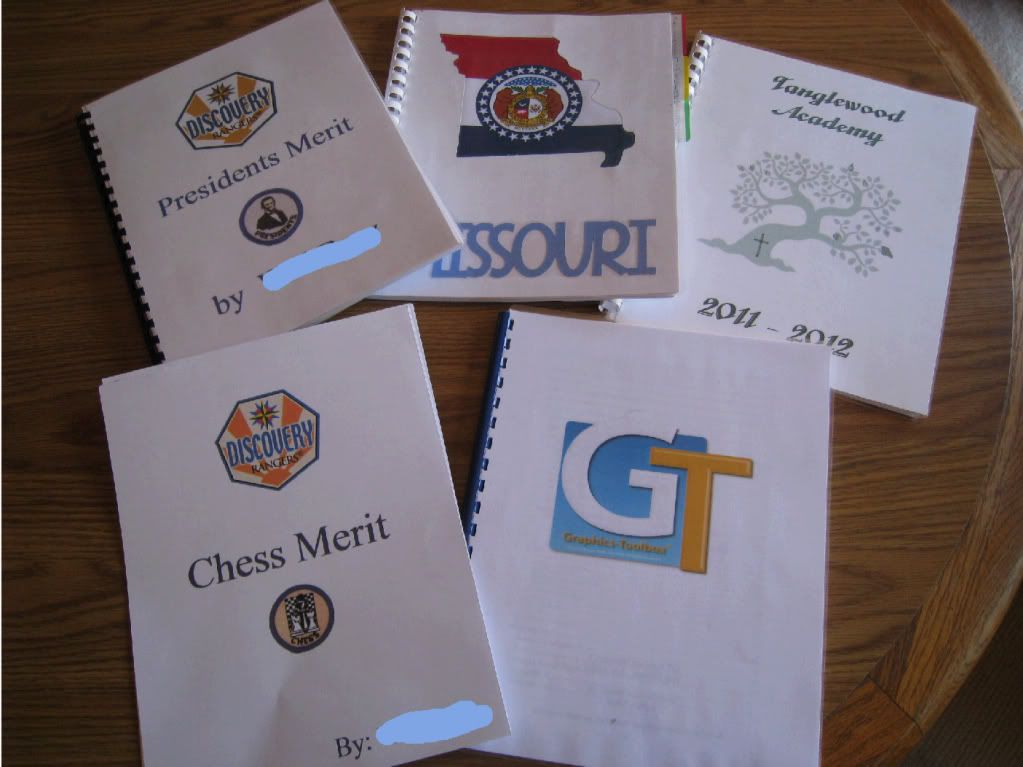
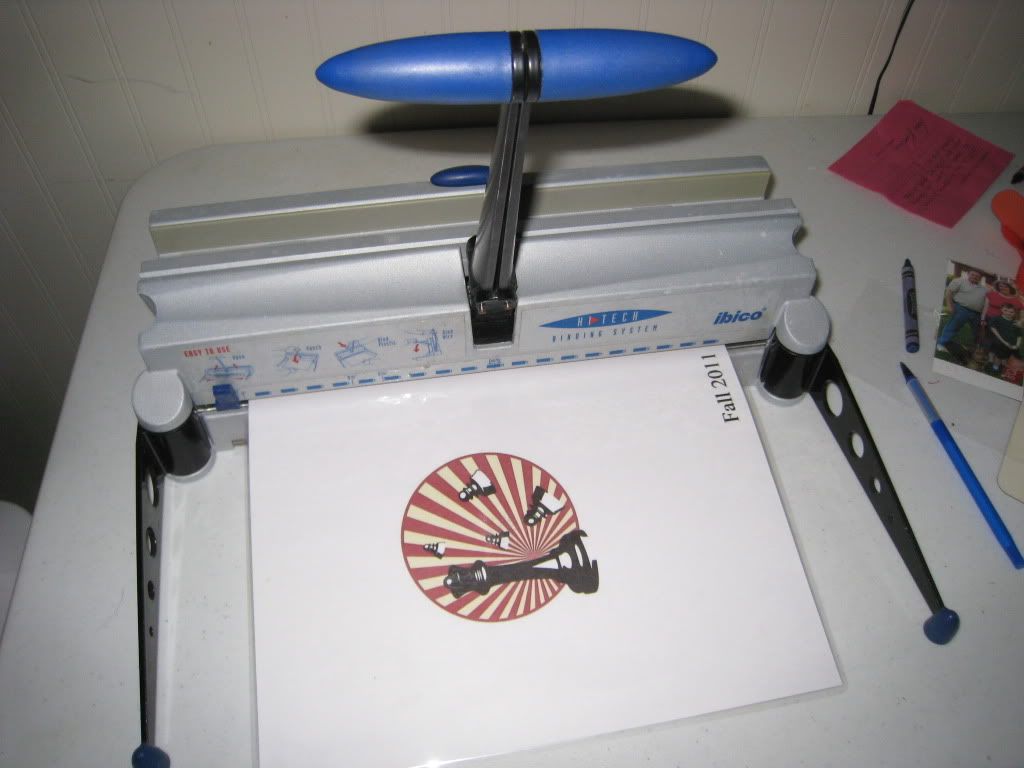
I just wanted to share a few pictures and thoughts about my latest toy I mean tool for better organization and efficiency.   I had been watching a crafting gadget demonstration on one of those shop at home channels and was drooling over a wire-binding machine.   Drooling but not buying,  I headed over to eBay to see what bargains I could find.  In the end I found a model that can use both plastic combs and o-wire--that way we can fill and re-arrange books throughout our school year and change them to a permanent binding when they're complete.   I found loads of different size plastic combs in the clearance section of Office Max (25  1/2 inch combs for $2) .  Above is a picture of some of the projects I done so far, going clockwise ....


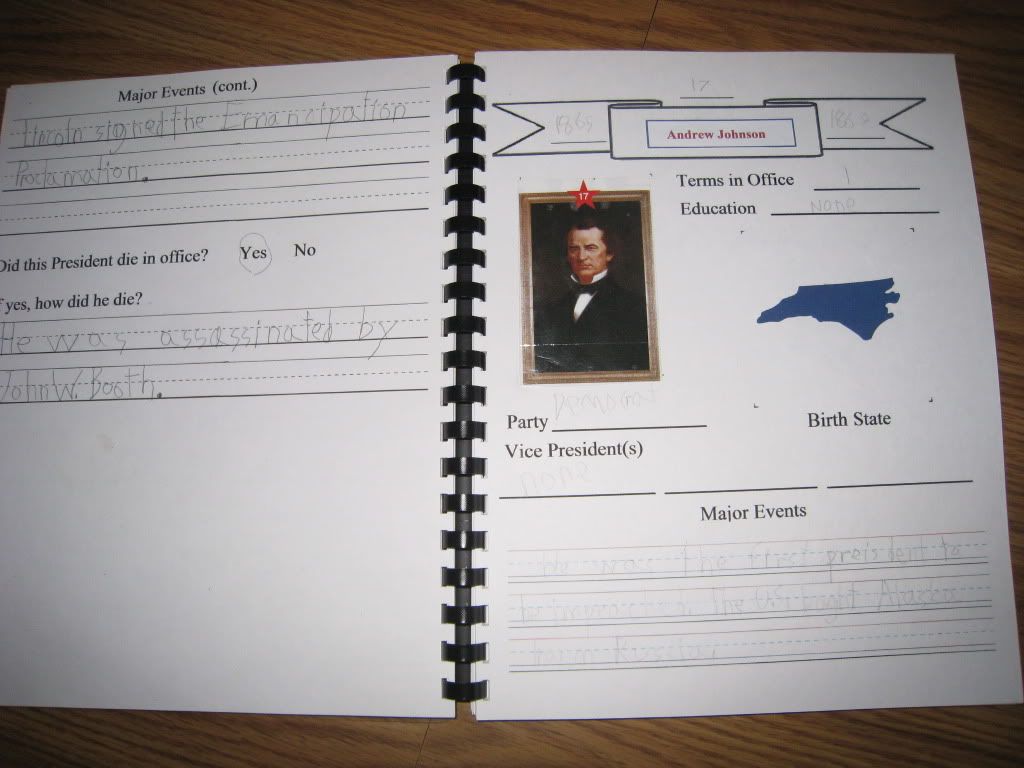
Schnickelfritz has been working on his President's merit badge for Royal Rangers.  This book holds a page for each president in chronological order listing years in office, education, birth state, vice president(s) and two events from each administration.  Next comes 10 Bible verses that cover leadership qualities and finally and essay on Fritz's favorite president and how he meets some of those qualities.    This book is a definite keeper and I may switch it to a permanent wire binding.

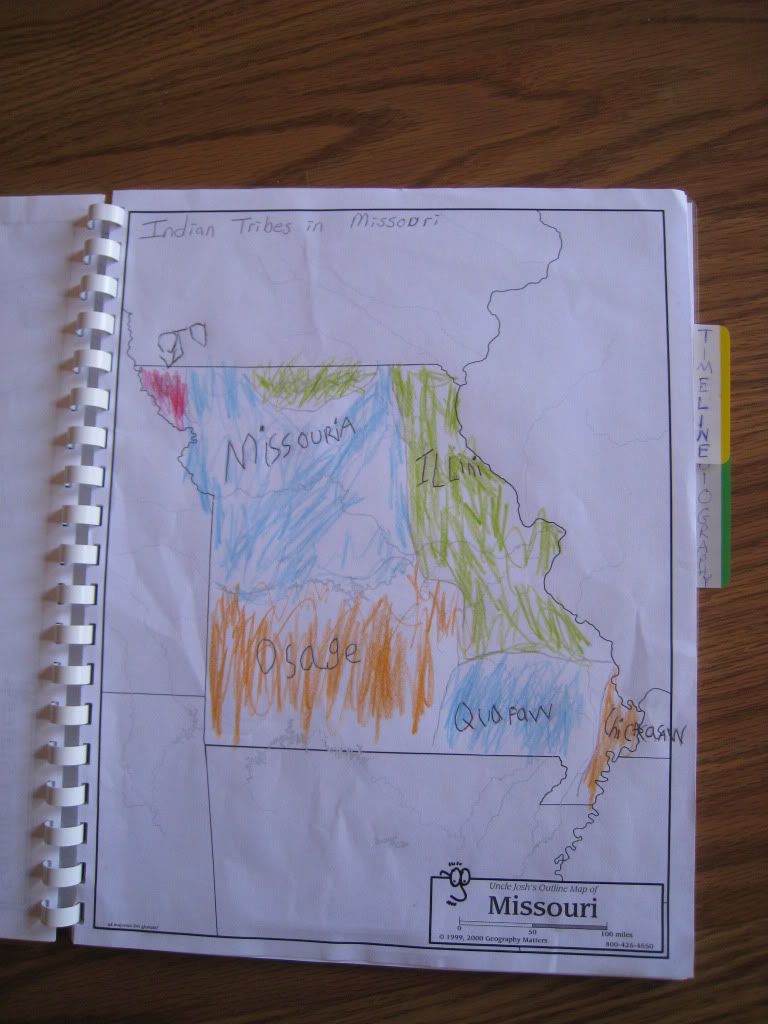
I've been making up my own Missouri history curriculum this year using Where Rivers Meet as a spine.  This book contains a timeline specifically for Missouri (our main timeline is in a hallway in our basement),  one-page biographical summaries for famous Missourians,  a variety of maps, etc.  We'll probably add pages with postcards or travel brochures as well (I'm beginning to appreciate the flexibility of comb binding over wire binding more and more).  Recently, Post-It advertised an offer to get samples and coupons of their latest products on TV.  I found their tabs worked great to separate sections of this binder.

 Next is my first project--our school planner (we call ourselves Tanglewood Academy).  I've included two-page spreads for each month of the year, a page to list field trips, books read, goals, and more.  I use the calendar to note appointments and field trips and any activities I need to add to my Edu-Track lesson planner.  When the week is over, I print out the details (which are all accurate at this point) and file them in the back of the planner.

Sometimes I bind together projects for my own reference.  This is the users manual for Graphic Toolbox.  We reviewed this product during my first year of the Homeschool Crew.  I still use it all the time, in fact I made all of the covers for these books with GT.   I just find it easier to have a hard copy in front of me that switching back and forth between the online version and my project.   Other things I've bound include handouts from a canning class I took at the county extension office,  recipes for my pressure cooker and others for cooking in the dutch oven on our campfire.

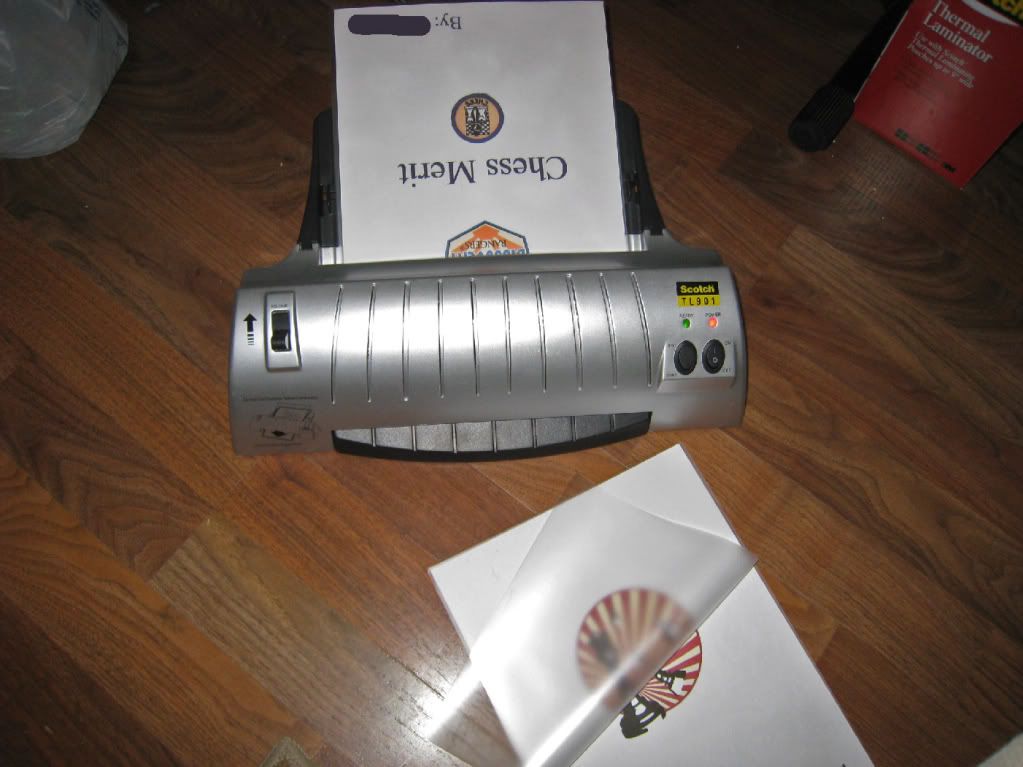
Last is Fritz's newest merit project--Chess.  I'll use it to show you how I make books.  It is possible to buy clear plastic, pre-punched cover pages for binders but I much prefer to make my own.  After designing fronts and backs, I print them out on card stock and laminate them in 3 mil pouches.   I bought 200 pouches at Sam's Club for under $15.

 After laminating, you can punch the covers in the binding machine one at a time.  My machine has a separate mark for covers at 11 1/4 inches instead of the regular 11.  And take care when punching the back page--remember you're making a book so think about which side to punch so the correct side faces out.  Of course, you could leave the back blank and then it won't be an issue, but I like to put the date of our project on the back.  When assembling the book I start with the front cover face down.  This enables me to add any new pages to the back without having to completely taking the book apart.

Wednesday, May 11, 2011

Spice Rack Makeover


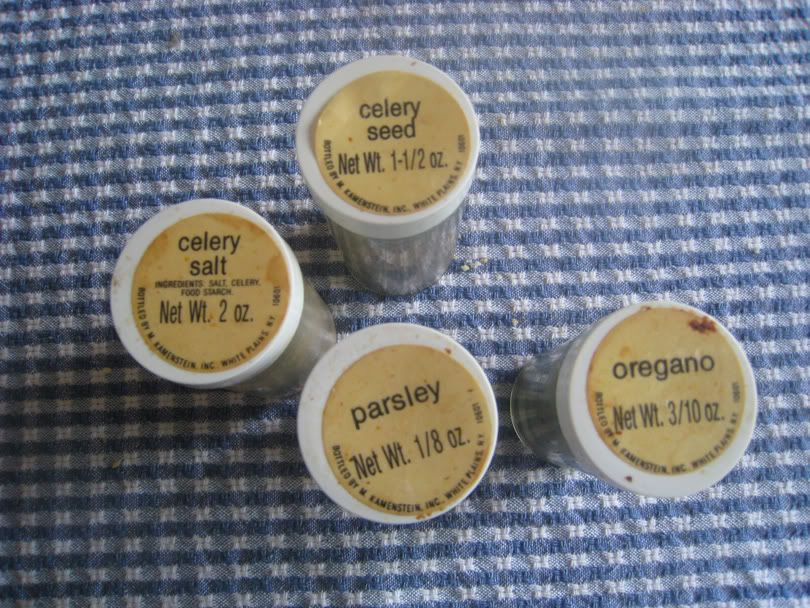
I can't tell you how long I've owned these spices jars but they were certainly showing their age.  For cooking convenience I store them right next to the stove and years of grease splatters and other food spills have not only discolored the labels but some lost their adhesive and just slipped off.  I could have gone the easy route and just purchased a new spice rack but the frugal German in me  decided to scrounge around the house and see what I could come up with.  In the end this worked out better because I could customize the labels and fill them with the spices I use, not necessarily the ones that come in the set (as I worked on the jars I discovered some were still sealed and never been used in at least a decade--a waste of valuable counter space).


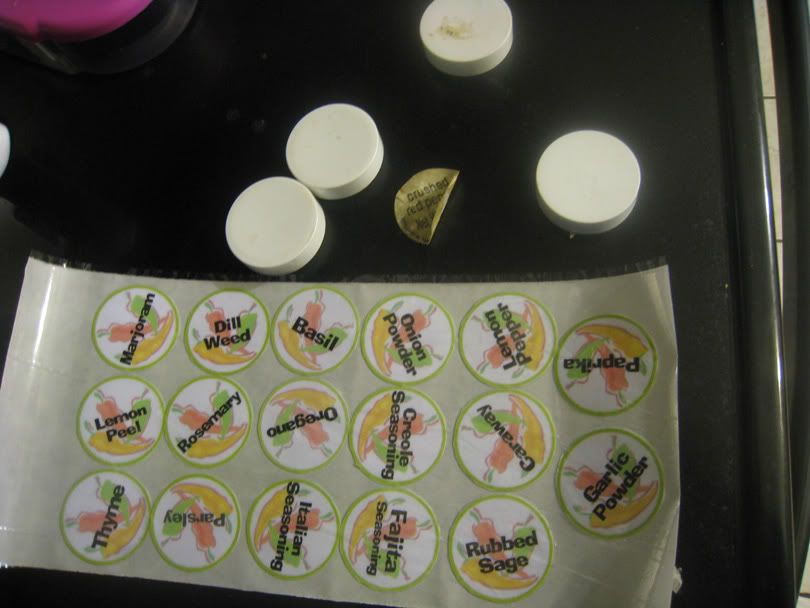
 My first thought was the Graphics Toolbox program we reviewed for the Homeschool Crew last year.  I still use it all the time for editing pictures, making lapbook components, etc.   I checked the clip art files on my computer and found a vibrant picture of some chili pepper; cute but a little too vibrant, especially when you want to add the name of the spice over the top.  GT lets you copy an image while adjusting its transparancy so I was able to make a more muted background.   I played around with text color as well--trying all of the colors from the original clip art.  In the end I decided to go with basic black since it just popped out so nicely.  I made hollow circles in the proper size to fit the lids and put them around each picture.  I printed everything on a sheet of photo paper but before cutting out each label I ran the sheet through my Scotch Laminator (to hopefully protect the new labels from grease splatter).  I chose hot lamination over my Xyron because I've learned the hardway that cold lamination doesn't hold adhesive well at all.  


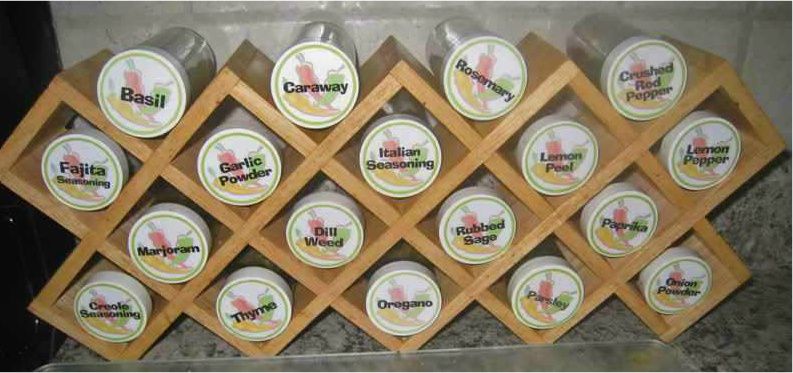
 After cutting out the labels, I ran the circles through my xyron with the permanant adhesive cartridge.  And below you can see my finished results.


Wednesday, December 2, 2009

Organizing recipes

I have decided not to wait till New Year's to work on my goal to become more organized.   Today, I'm working on on a system to save money on groceries by planning menus based on what meat is for sale.


I have dabbled with the once-a-month, or freezer cooking system.  (If you're unfamiliar with this, check our the 30 Day Gourmet website).  Rather than spend one looonnnggg day cooking, I cook and freeze by protein type.  When ground beef is on sale, I'll buy ten pounds and make 6-7 dishes, serving some and freezing some for later.   I haven't been as diligent at this as I need to be because I get tired of looking through recipe books for dishes that will use the meat that's on sale.


Using Word, I made some charts to list my family's favorite recipes.  Each sheet is devoted to a specific protein type: Beef, Poultry, Pork,  and Ground beef (I gave ground beef it's own category since it had so many recipes).   I began browsing through my cookbook collection for notes I had written about recipes and added the ones that my family enjoyed to the appropriate list.  (Don't be afraid to write notes in your cookbooks,  they're all yours, including the margins).   I found some recipes I hadn't fixed in years but had noted that my husband had liked them. 


Next to each recipe name I listed the amount and cut of meat needed (steak or roast, boneless/skinless breasts, etc.).   THen I listed the appliance used in the recipe--crockpot, pressure cooker, or oven.  When I look at our school calendar I like to pick crockpot recipes for the days we'll be away at co-op, or I'll pull a fast pressure cooker meal before Wednesday night church.


Next, I made a column Y/N Freezable?  If a dish can be frozen, why not make two or three batches and freeze the extras.  By chopping and mixing and dividing big batches, tt doesn't take three times as long to make three pot pies instead of one. 


Finally, I left space to note the recipe's location.  I'm terrible about buying all the ingredients for a dish in my stockplie of "Taste of Home" magazines and then not being able to remember which issue it was in when I went to cook it.  Now I at least know what month and year to look for or if I've clipped it for my recipe box.  When I select a recipe, I will actually look at it and see if there are any other ingredients I need to add to my shopping list.  (Don't assume you remember the recipe--that's why I had to dash to the store at 9pm the night before Thanksgiving).


At some point I may redo this as an excel spreadsheet so I can sort by cuts or appliance.  For today at least, I can quickly find some family approved recipes as I look through the grocery flyers.

Related Posts Plugin for WordPress, Blogger...